As a followup to my announcement of the new FeedEntryHeader plugin, I thought I’d share a screenshot of it in action. Predictably, the announcement post was scraped within minutes of me publishing it. Here is what the output looks like on the splog.
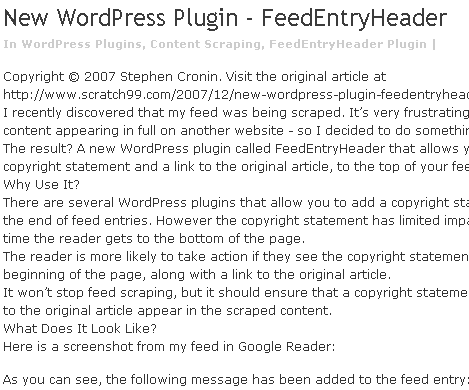
As you can see, the links have been stripped, but the URL remains. Hopefully anyone reading this page will work out that they aren’t viewing the original article and copy and paste the URL into the browser to read the original.
It’s also worth noting that all formatting has been removed, as have been the images. If you are reading a post that looks like this, you should be able to recognise it as a splog even if there is no copyright statement.
Marking Splog Trackbacks As Spam
In the comments of the previous post, Jonathon mentions that he is receiving trackback from the splogs. If you get such trackbacks, mark them as spam. It’s very important you do this.
If enough people mark trackbacks from a particular splog as spam, Askimet will start marking all trackbacks from that splog as spam automatically.
If you leave such trackbacks in place you may be passing PageRank to the splog. One of the reasons that we are fighting a losing battle is because of the vast number of links such splogs get.
Many of the original authors get a trackback, but don’t realise it’s from a splog because they don’t follow it. If you don’t follow all your trackbacks, you won’t know if someone is writing something nice about you, or scraping you.
Digital Fingerprint
Someone asked me why I couldn’t use the Digital Fingerprint plugin instead. I looked at Digital Fingerprint before writing FeedEntryHeader. I haven’t used it, but it seems to be a great idea and I recommend you check it out. However, it’s purpose differs from what I wanted FeedEntryHeader to do.
Digital Fingerprint’s purpose is to track who’s scraping your content, while FeedEntryHeader’s purpose is to redirect readers back to your site.
The idea behind Digital Fingerprint is that it inserts a ‘fingerprint’ into your feed, so that later you can search for pages that contain this fingerprint. This should let you find any splogs who have scraped your post. The fingerprint needs to be unique (ie won’t appear anywhere else on the Internet).
It seems to be possible to use a copyright message as the digital fingerprint, but it would have to be generic (ie the same for all posts). There’s no ability to display the post URL, which makes sense – after all, you want to do one search to find the scraped content, not a different search for each post.
The strength of FeedEntryHeader is the fact that it includes the URL back to the original post. The idea is that users will see the copyright statement before they read the article, work out what’s going on and use the URL to visit your site to read the original post.
There are other plugins that do something similar in the footer. That’s too late. There’s less chance the reader will visit your site if they’ve already read the post. Also, some splogs chop the bottom of the post off.
Anyway, FeedEntryHeader and Digital Fingerprint have different purposes, both of them worthwhile. Although I haven’t tried it yet, I see no reason why they cannot be used together.
I always learn something about their techniques by looking at the websites of the idjits that play these games, so I googled some text from your original post to find the thief. He also has THIS post at the top of page, so he thinks you’re a good source!
It’s ironic, but you keep pretty good company on his splog — SEW, Problogger, etc.
Great plugin, Stephen! Very useful for anyone who’s feed is getting scraped and you are right that most people don’t read the bottom of the feed and it is too late anyways.
I think there is a way report to Google as well if they are running Adsense. Cutting their income could be a very effective way of stopping this.
Henry, I’m sure it’s all automated. The splog must be subscribed to my feed. As soon as I post anything, it picks it up from my feed, strips the links, imports it into their DB and whacks it on the front page.
I actually let Darren Rowse (Problogger) know he was being scraped too, and he was kind enough to reply, but I’ve since worked out this is a daily occurence for him.
K, Thanks. The splog scraping me is running Adsense (and I’m sure they’re make more from it than me!), so I’ll try reporting them. Good idea!
I have a lot on my plate right now, so I can’t work with this yet. I plan to do so as soon as I get the time. I can’t even count all the splogs that have my content.
Correction. I just installed it on both blogs.
RT, let me know how it goes. I reported the site that’s scraping me, as K suggested above – I’ve decided that I’m going to start fighting them.
Hi Stephen,
That’ an awesome plugin. I have my fair share of splogging problem and I think this plugin will be really useful.
I was wondering if it will be more effective if we add this text immediately after the URL.
“If you are reading this from any other site, it means you are probably reading a stolen article”
I added, right after the URL, “Friends don’t let friends splog Untwisted Vortex…”
It’ll make it easy to spot.
Hi Costa, Thanks.
Actually I originally had something like that as the default, but took it out because it I wanted to keep the message short (trying to keep a balance between annoying the sploggers, but not annoying my normal subscribers!).
Of course the message is customisable, so anyone who wants to add words to that effect can do so very easily from the options screen.
Hi RT,
That should make it easy to spot. I did a quick search just now and Google has 4 entries. 3 seem to be Technorati or BlogCatalog, which are presumably legitimate. There may be a case for the fingerprint to be moved lower down, so it’s not in the summary created by such services. What do you think?
I’m not sure what to make of the 4th one: http:⁄⁄feed.socialrank.com/tomorrowsbrands.com/. Does that mean Tomorrowsbrand.com has scraped you? If so, your post is not on the front page and they don’t have a search facility to look for it. I’m not sure what to make of them.
I guess we’ll see better results once a little time has passed, so the search engines have had a chance to index the sploggers.
I took the extra phrase out. FeedBurner kept hosing it anyway. SocialRank is a legit site, don’t worry about it. I’m getting pings from the real splogs now. And the copyright message is there, with the URL stripped out, but the text URL still there. How many people with the name Dumas are out there?